Guidepost

A budget for your next steps

A budget for a first job. Log every paycheck and purchase, and know where every cent goes.

$25one time, no subscription

Also works for adults. Choose who it is for in setup.

  • Up to 3 devices
  • Budget stays on your device
  • One-page summary for a parent
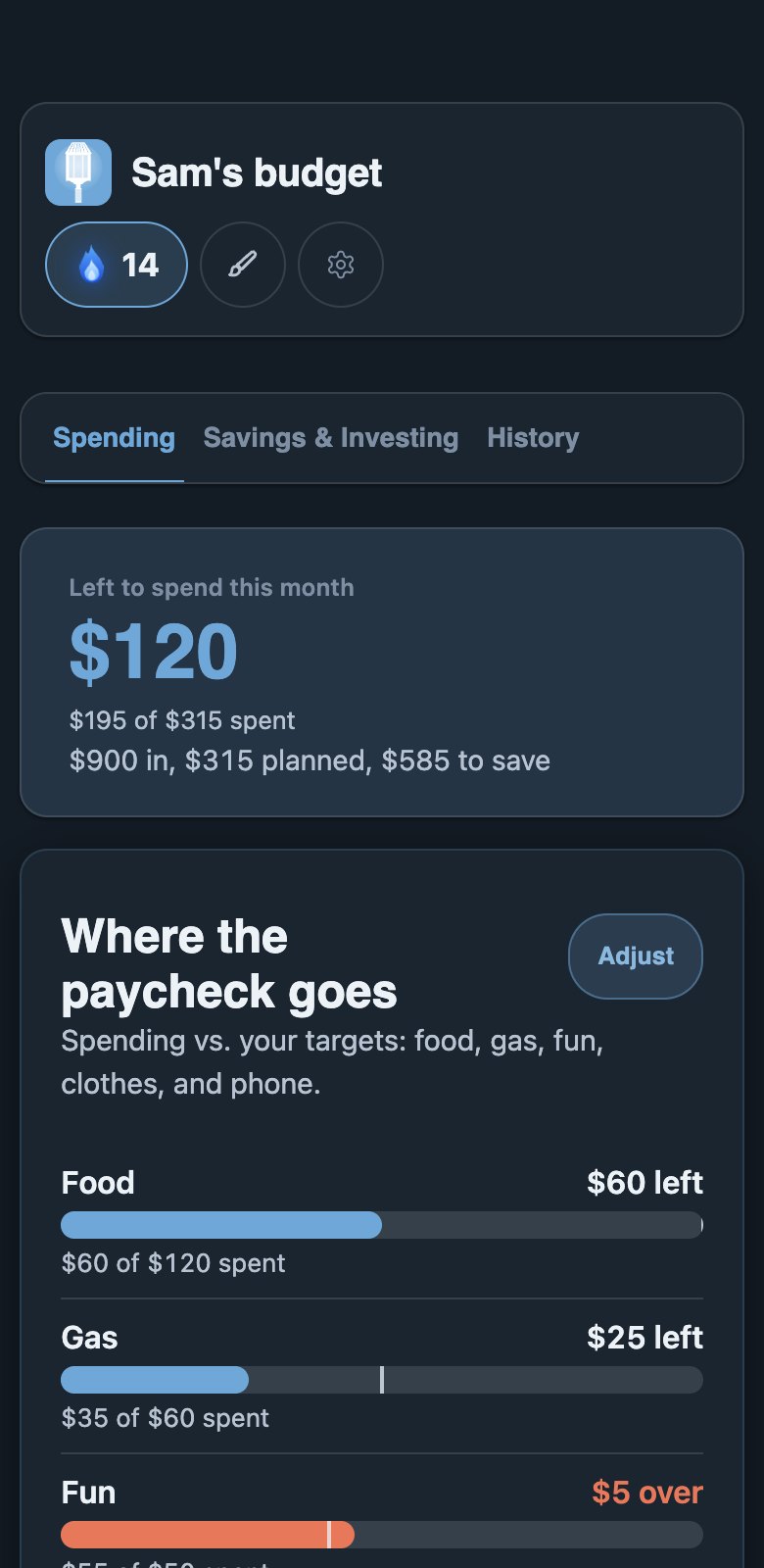
The Guidepost Spending tab with a made-up budget: what is left to spend this month and each category against its target.
Made-up numbers

Young adults are working

21.3 million people aged 16 to 24 had a job in July 2026, or 53.8% of everyone that age.1

47% of Gen Z don't use a monthly budget.2

Nearly 28% of 18 to 24 year olds say they stress every day about their finances, compared with 14% of people 65 and over.3

78% of teens aged 13 to 18 say they are stressed about money.4

Sources

Three tabs, one clear picture

The Spending tab with a made-up budget.
Spending tab. Made-up numbers.

See where your paycheck goes.

Each category next to its target.

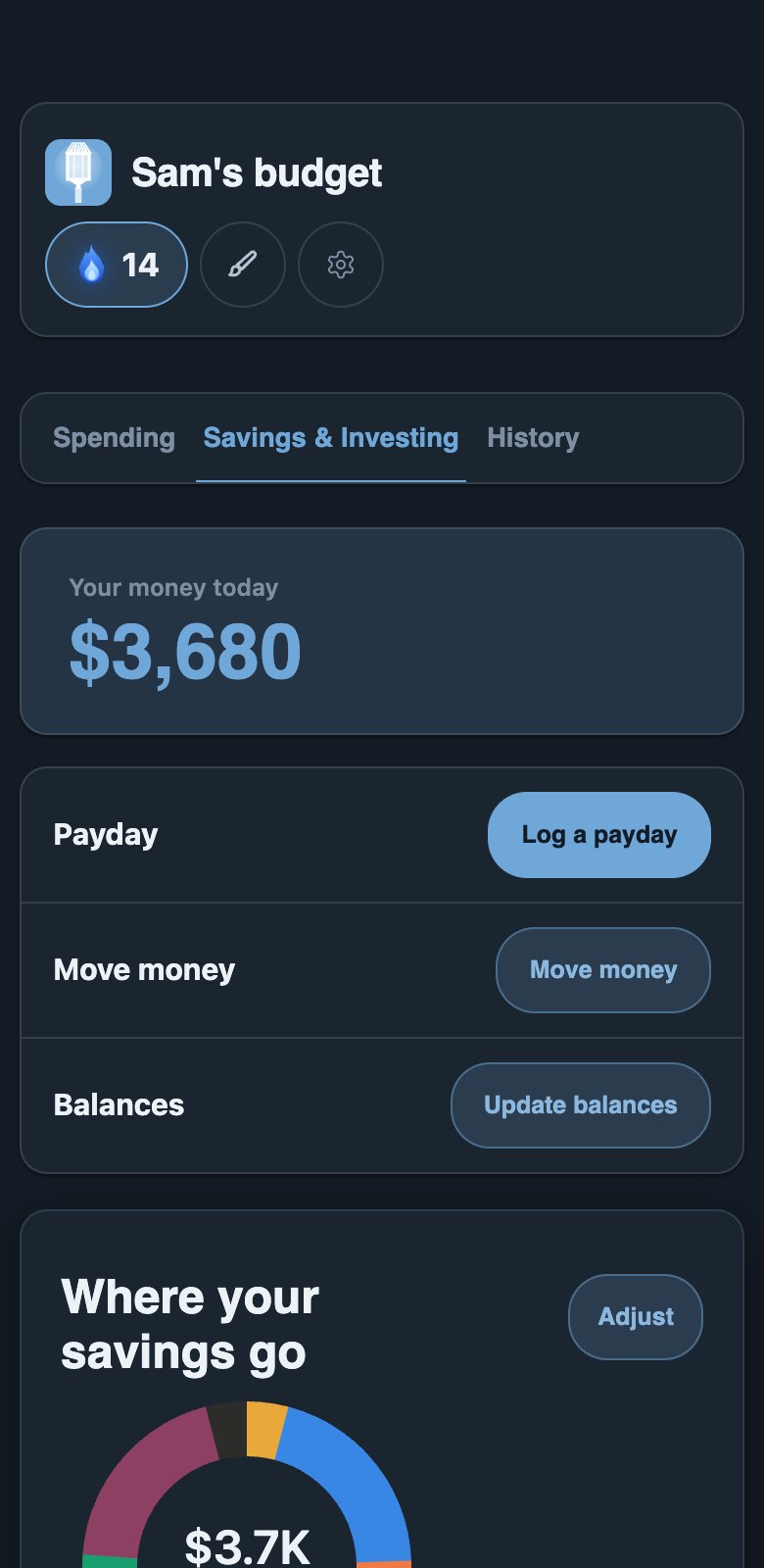
The Savings & Investing tab with a made-up budget.
Savings & Investing tab. Made-up numbers.

Plan your savings

Goals, debt and a monthly split.

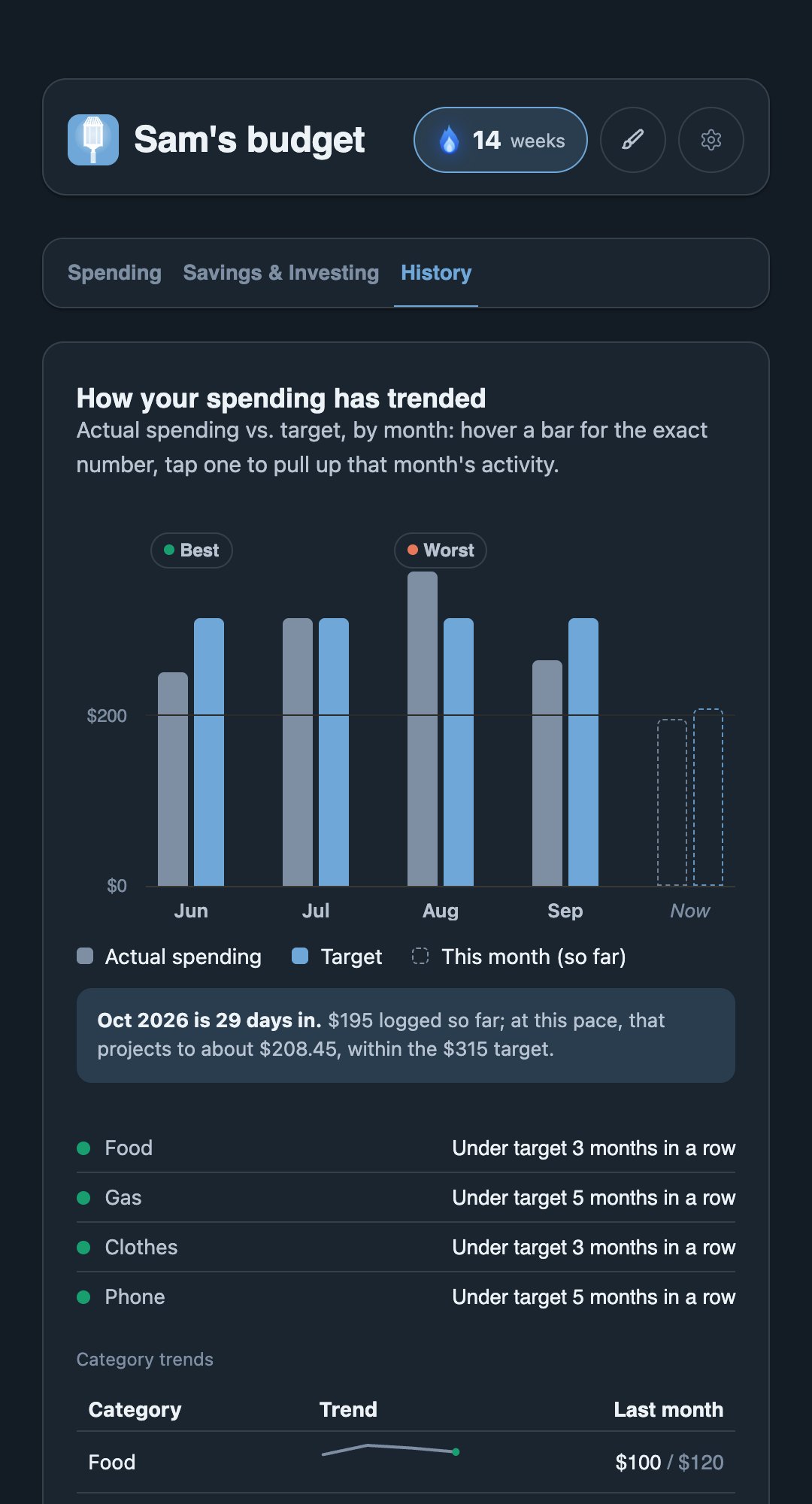
The History tab with a made-up budget: spending against target by month, drawn as bars.
History tab. Made-up numbers.

Look back

Every month against its plan. Send a one-page summary to a parent.

How it works

  1. Set it up

    Seven questions.

  2. Log every one

    Each paycheck and purchase, with a category.

  3. Check in

    Compare, then adjust.

Make it yours

  • Looks
  • Scenes
  • Backgrounds
  • Cards
  • Charts
  • Fonts
  • Titles
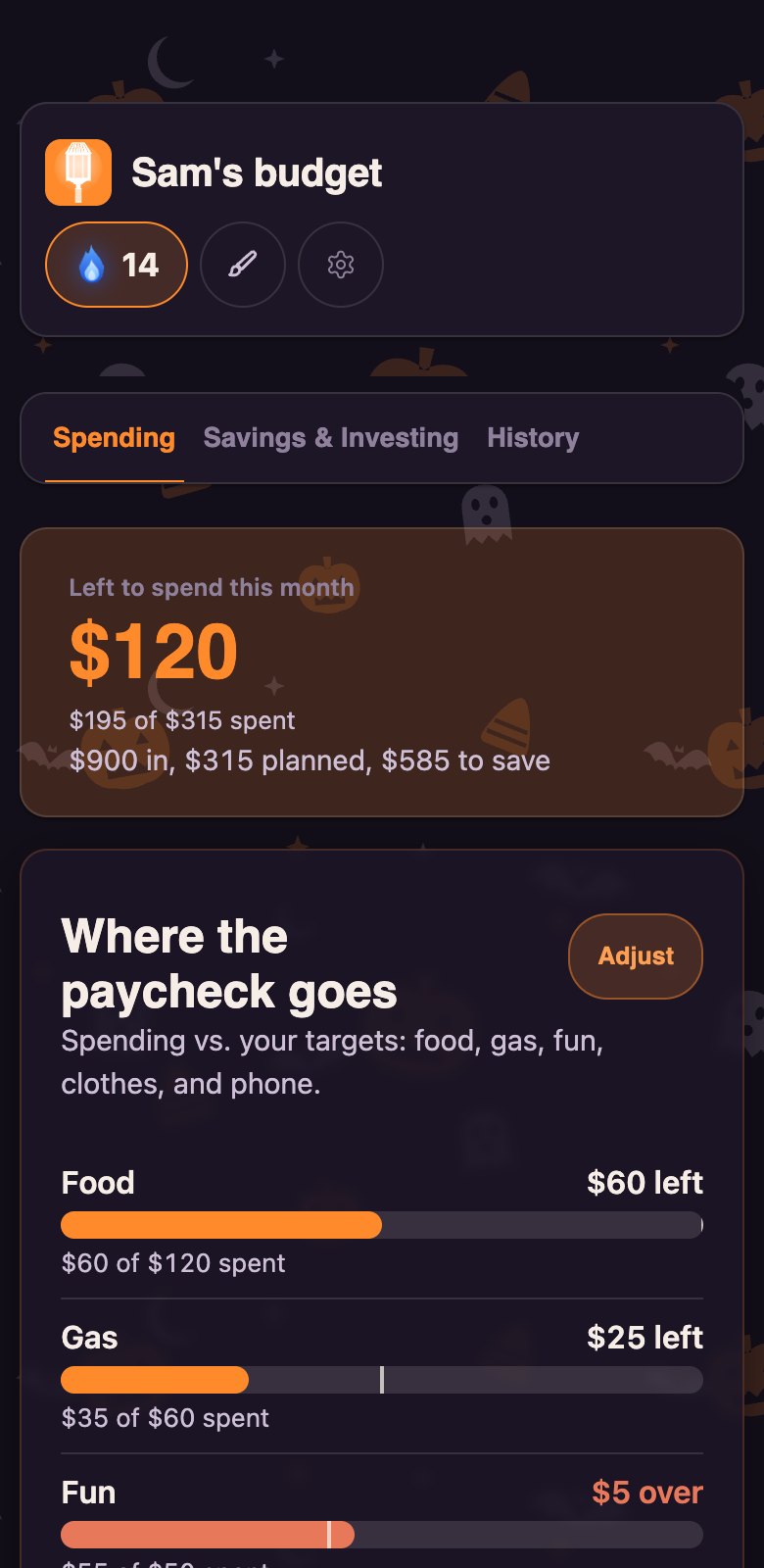
The Guidepost Spending tab in the Halloween look.
Halloween Seasonal look, open in October
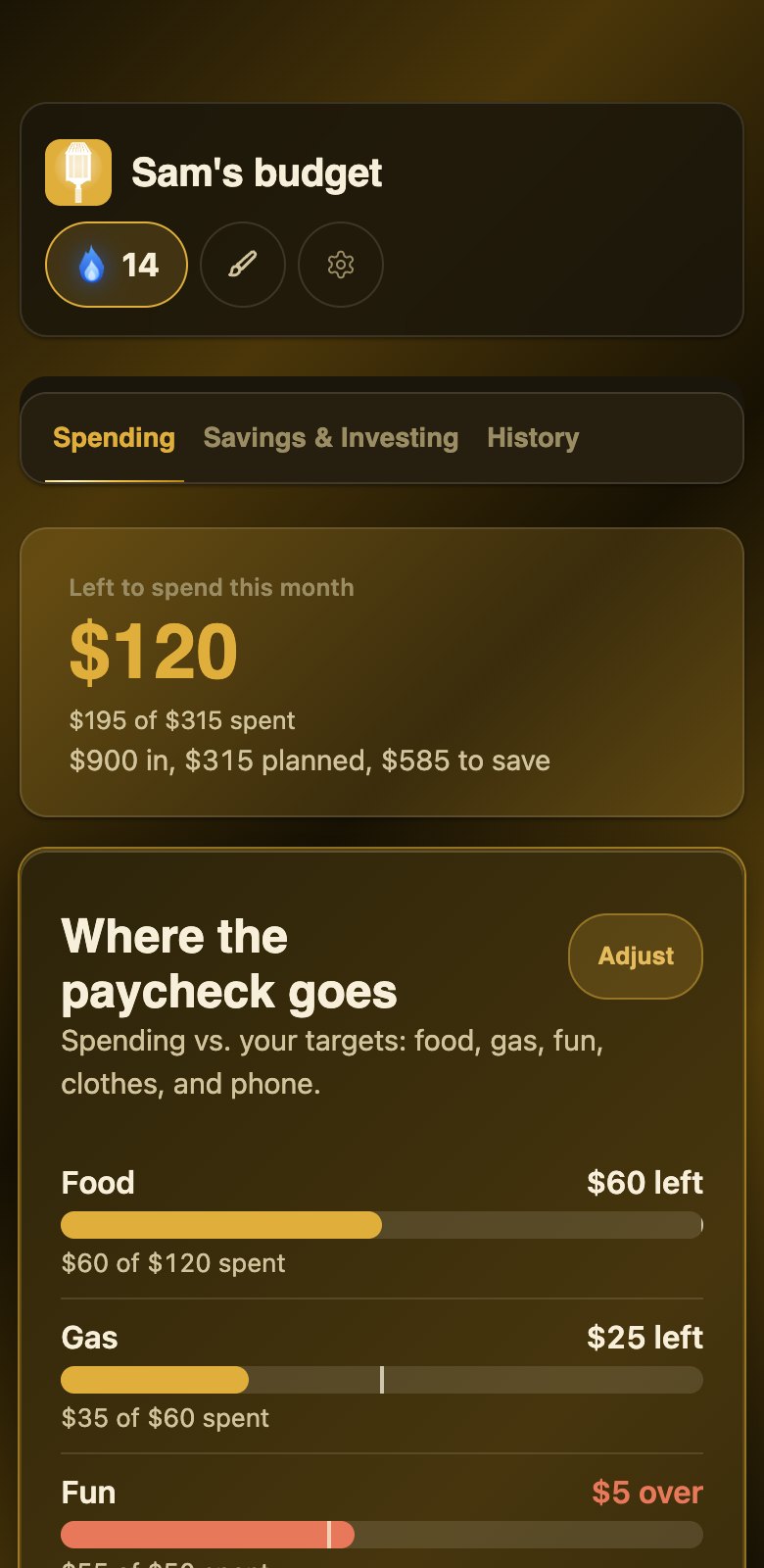
The Guidepost Spending tab in the Gold look.
Gold Look, earned at week 52, a year of check-ins
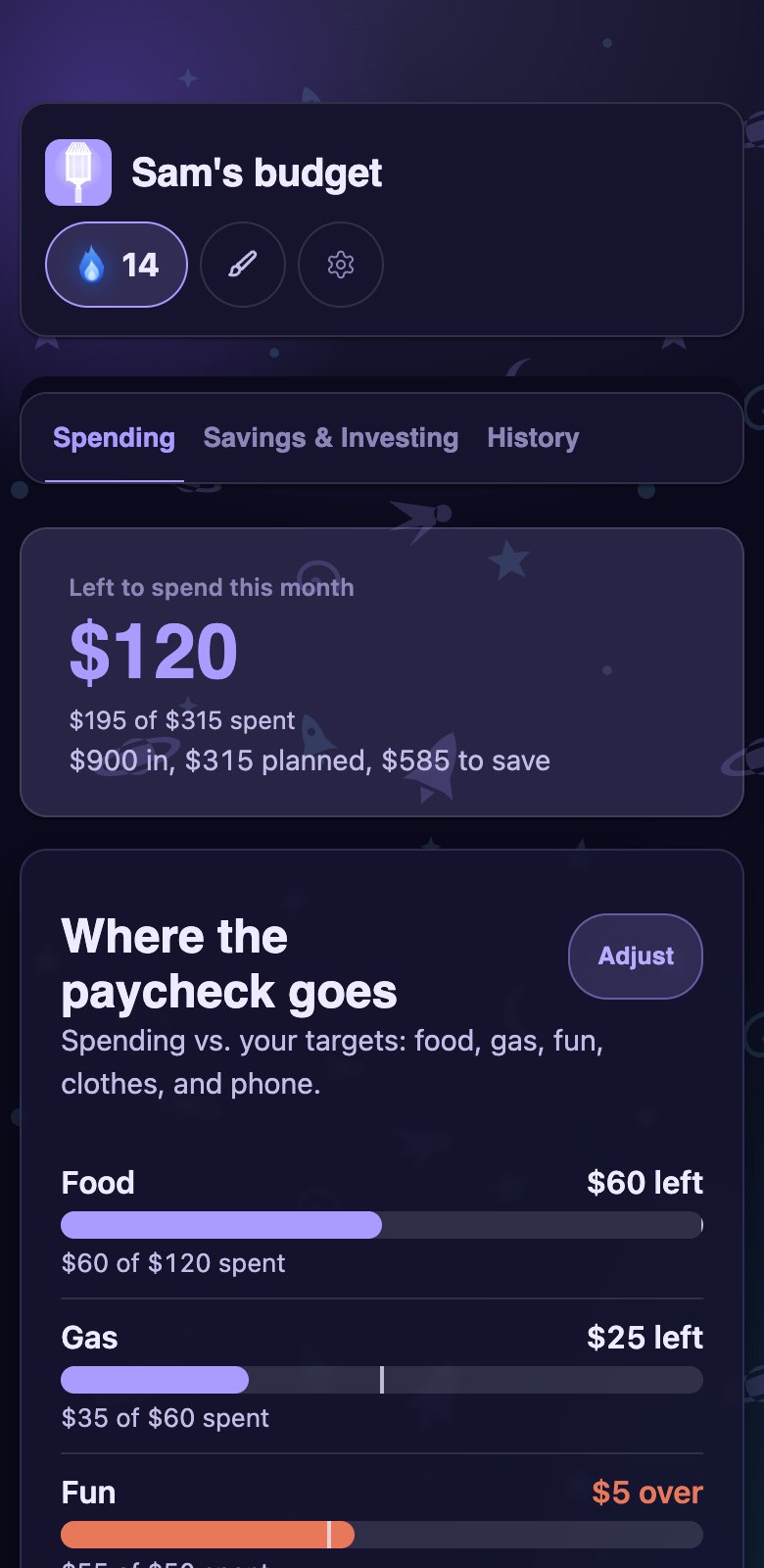
The Guidepost Spending tab in the Galaxy look.
Galaxy Scene, earned at week 78
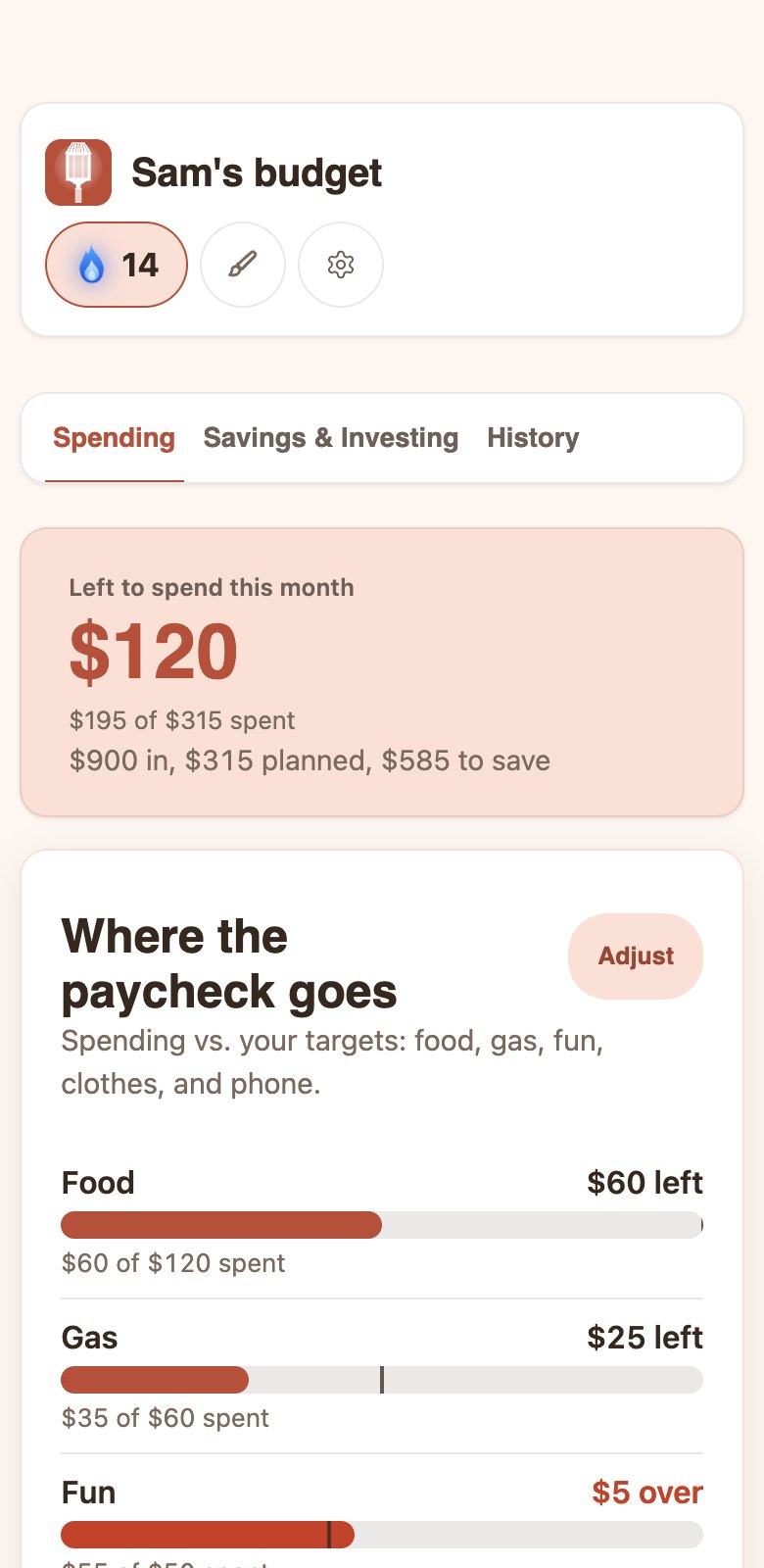
The Guidepost Spending tab in the Coral look.
Coral Light, bold cards, week 30

Same budget, four looks. Each unlocks with your check-in streak.

A Roth meter

Tracks contributions toward the 2026 $7,500 cap. Your own limit is the smaller of $7,500 and your taxable compensation.

Stays on your device

Saved in the browser on that device. Export and Import make a backup file.

Why should you use Guidepost?

I'm a college student, and I built Guidepost to help others create and manage their budget.

Throughout my years in high school and my first semesters of college, I knew many friends with their first job. They were unfamiliar with getting a paycheck, so they were unfamiliar with handling their spending habits. This led my peers to spend their hard earned money quickly and without thinking. I want you to easily create and stick to your budget to learn how to save and spend responsibly.

Thank you

One plan, one price

$25

One time, no subscription

Get Guidepost
  • The Guidepost tracker
  • Seven setup questions, then three tabs
  • A Roth meter for the 2026 limit
  • Works on up to 3 devices
  • A one-page monthly summary to share with a parent

FAQ

Does it work on a phone?

Guidepost is a web page, so it opens in a browser on a phone or a computer. You can also add it to your home screen.

Why log by hand?

Typing in each purchase makes you look at it and pick a category. It is how you get to know your money.

Where is my data stored?

In your browser, on the device you use. Browsers can clear saved data for sites you have not opened in a long time, so use Export now and then to keep a backup.

What if I change phones?

Your data does not move on its own. On the old phone, use Export in Settings to save a backup file, then use Import on the new phone. Your key works on up to 3 devices.

Is this tax advice?

No. Guidepost is a budgeting tool and general information, not tax, legal or financial advice. Your situation may be different, so ask a tax professional.

Is it only for the US?

Yes. The one tax figure in the tracker, the Roth cap, is a US federal rule. Things that vary by state, like state income tax and work permits for minors, are not covered.

Can I get a refund?

Yes, within 10 days.

Sources

  1. U.S. Bureau of Labor Statistics, Employment and Unemployment Among Youth, Summer 2026, released Aug 20, 2026. 21.3 million employed and a 53.8% employment rate, ages 16 to 24, July 2026.
  2. Ramsey Solutions quarterly study, first quarter 2026, as reported by National Mortgage News, Jun 4, 2026. Ramsey found that 53% of Gen Z create a monthly budget; the 47% on this page is the rest.
  3. GOBankingRates survey of nearly 1,000 U.S. adults, July 2024, published Aug 20, 2024. Nearly 28% of respondents aged 18 to 24 said they stress every day about their finances, compared with 14% of those 65 and over.
  4. Junior Achievement USA and Citizens, survey by Wakefield Research of 1,000 U.S. teens aged 13 to 18, Feb 27 to Mar 4, 2024, released Apr 9, 2024.